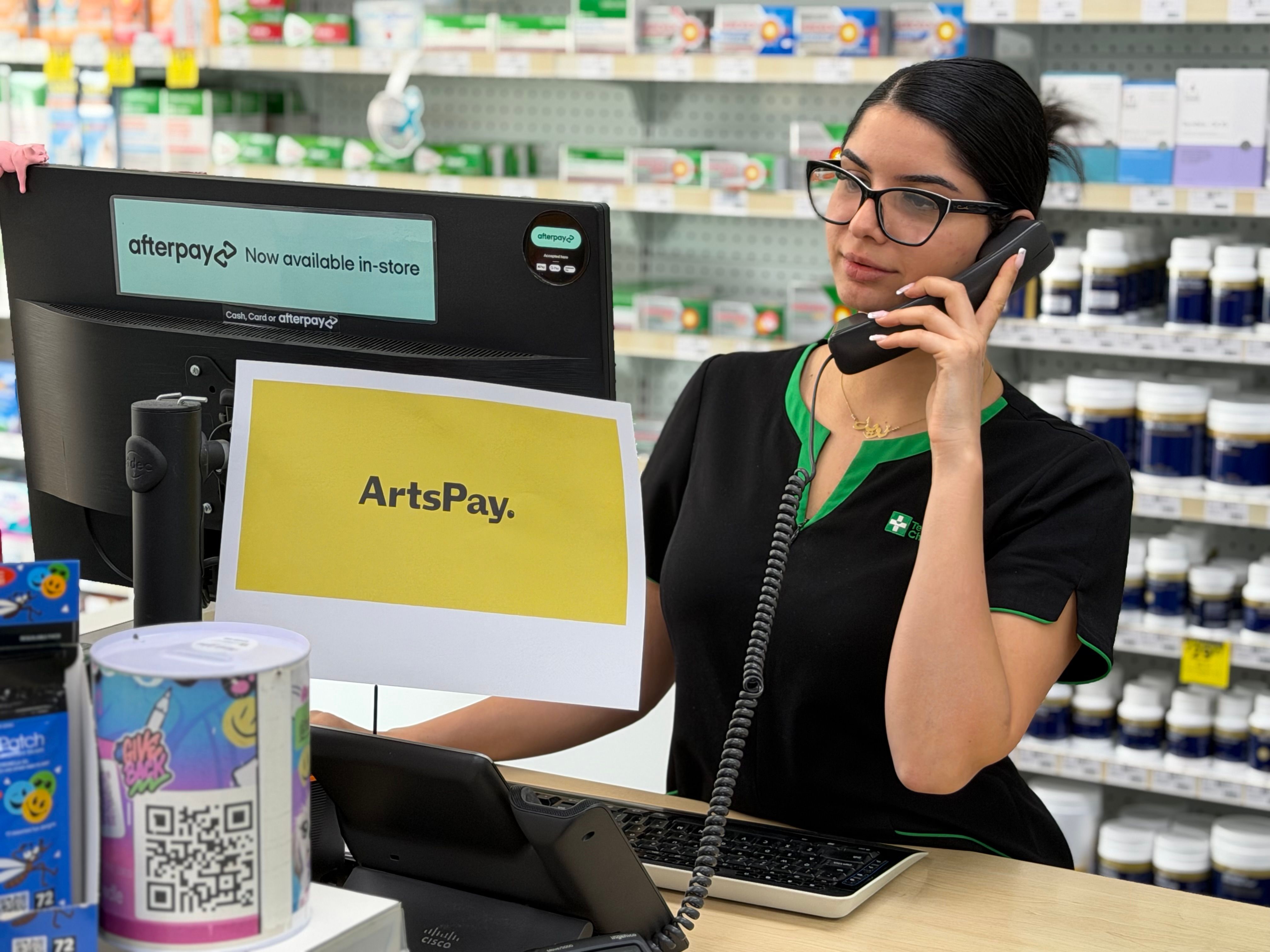
Many pharmacy teams still collect card payments over the phone. For low-volume operations, that works. At scale, it creates staff overhead, introduces security risk, and delivers a payment experience that patients increasingly find inconvenient. TWCM Marden Compounding Pharmacy, a TerryWhite Chemmart franchise in Marden, South Australia, moved away from phone-based card collection by adopting ArtsPay Payment Links. The result was a cleaner workflow for staff, stronger security for patients, and better visibility over payment completion.
Who should read this?
This case study is relevant to pharmacy groups, healthcare providers, and distributed service teams managing remote card payments. If your staff are collecting card details manually or chasing payment confirmation, the approach the pharmacy took is worth understanding.
About TWCM Marden Compounding Pharmacy
This pharmacy is committed to delivering high quality, accessible and cost-effective pharmacy solutions. They manage payments across customer interactions that often take place outside a standard retail checkout environment, including remote payment collection for products and services.
What was the payment challenge for the pharmacy?
For a compounding pharmacy, payments often happen after a consultation or prescription preparation, not at a counter. That creates a gap between when a patient agrees to pay and when the pharmacy can collect.
Phone payments fill that gap, but they create their own problems. Staff need to reach the patient at the right moment, read card details manually, and follow up if the payment doesn't go through. At scale, that adds up to significant staff time and introduces security risk inherent in any card-not-present phone process.
The goal was practical:
- Make remote payments easier to send, complete, and track
- Support stronger security for card-not-present transactions
- Keep the process simple for staff and patients alike
How do ArtsPay Payment Links work for pharmacy teams?
ArtsPay Payment Links give staff a way to create a secure payment request from a shared dashboard, send it to the patient by email or SMS, and receive confirmation when the payment is completed. No phone call. No manual card entry. No chasing.
Three capabilities made this practical for the pharmacy's operating environment.
Simple payment link creation
Staff create and send payment links from the ArtsPay dashboard. Links can be created in under 30 seconds and sent directly to the patient, with no website rebuild or technical integration required. The process can be repeated consistently across daily operations by any team member.
3DS2-enabled security
The payment flow uses 3DS2 authentication, an advanced security protocol that adds a second authentication factor for transactions assessed as higher risk. For a pharmacy handling sensitive patient interactions and custom medication orders, that security layer matters. You can read more about how 3DS2 works for Australian merchants in ArtsPay's 3D Secure guide.
Payment completion notifications
The team receives email notifications when payments are completed. That visibility closes the loop between sending a payment request and confirming receipt, reducing the need to manually check whether a patient has paid.
Why do payment links suit healthcare and pharmacy payments?
ArtsPay Payment Links sit between a fully manual phone payment process and a fully integrated ecommerce checkout. For pharmacy and healthcare teams, that middle ground is often the most practical place to start, because:
- Patients are paying remotely, often after a consultation or custom medication order
- The amount may need to be confirmed before payment is requested
- The patient is not physically present at the time of payment
- Staff need clear visibility once payment is completed
There is no lock-in contract and no coding required.
What changed after the pharmacy adopted payment links?
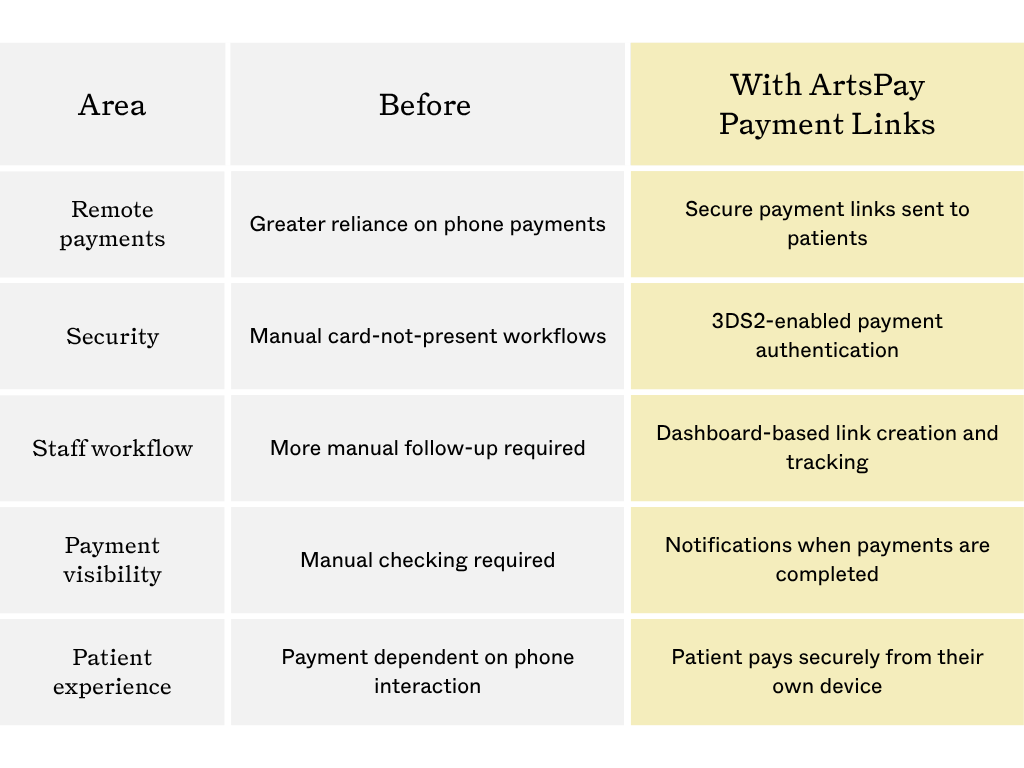
By moving to ArtsPay Payment Links, the team was able to reduce reliance on phone-based card collection and give patients a more convenient way to pay securely from their own device.
Key operational changes included:
- Less manual handling of card details by staff
- Lower overhead associated with phone-based payment collection
- Reduced card-not-present fraud risk through 3DS2 authentication
- Improved patient convenience, with payments completed on the patient's own device
- Better visibility over payment completion through dashboard notifications
- Easier staff adoption with no coding or website changes required
Is this the right approach for other pharmacy and healthcare providers?
For pharmacies and healthcare providers in a similar position, ArtsPay's health and pharmacy payment page covers the full range of options, including payment links, online payments, and 3DS2 fraud screening.
Frequently asked questions
What are payment links for pharmacies?
Payment links for pharmacies are secure online payment requests that staff can create and send to patients by email or SMS. Instead of collecting card details over the phone, the patient receives a link, opens it on their own device, and completes the payment securely. The pharmacy receives confirmation when payment is done.
How do payment links reduce phone payments for pharmacy teams?
Staff create a payment link from a shared dashboard and send it directly to the patient. The patient completes payment online without reading card details over the phone. The team receives notification once payment is confirmed. No manual follow-up required.
Why does 3DS2 matter for remote pharmacy payments?
Remote payments carry different risk from in-person card payments. 3DS2 authentication adds a second verification step for transactions assessed as higher risk, reducing fraud exposure for both the pharmacy and the patient. For pharmacies handling sensitive interactions and custom medication orders, that additional security layer is relevant.
Do pharmacy teams need technical skills to use ArtsPay Payment Links?
No. Payment links are created from the ArtsPay dashboard without coding or website changes. Links are sent by email or SMS, and staff receive notifications when payments are completed. Most teams are set up within a week.
Are ArtsPay Payment Links suitable for compounding pharmacies specifically?
For pharmacies still relying on phone payments, the operational cost is not always visible until it is measured: staff time spent on calls, manual reconciliation, and the security exposure of card details handled over the phone. ArtsPay Payment Links give pharmacy teams a practical way to close that gap without a complex implementation. Talk to the ArtsPay team about setting up payment links for your pharmacy or healthcare organisation.