Product Links let you create a payment page to share a link with your customers via email or text message.
How do I create a Product Link?
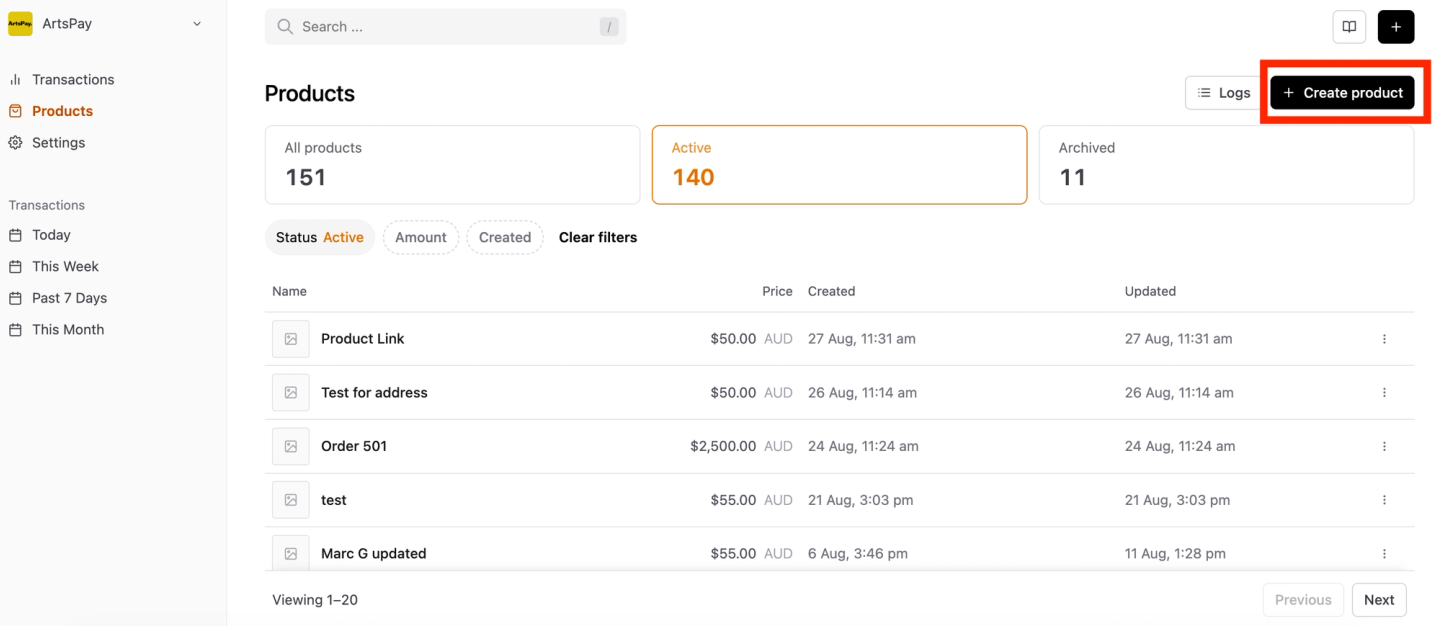
Login to your ArtsPay Dashboard, and simply click the 'Product Links' in the navigation.
If you have already created previous links, they will be displayed here.
To create a new link click New Product on the right side.
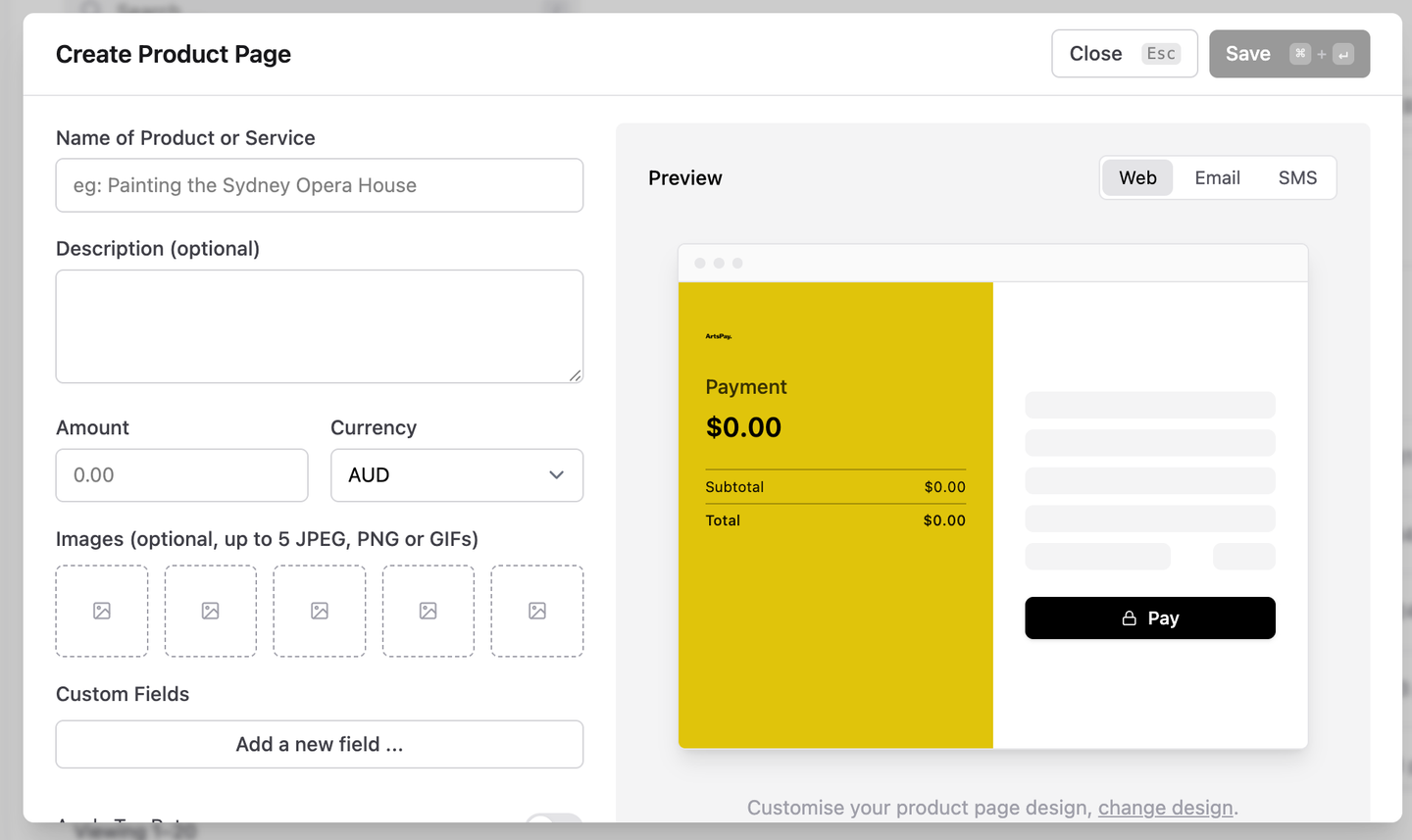
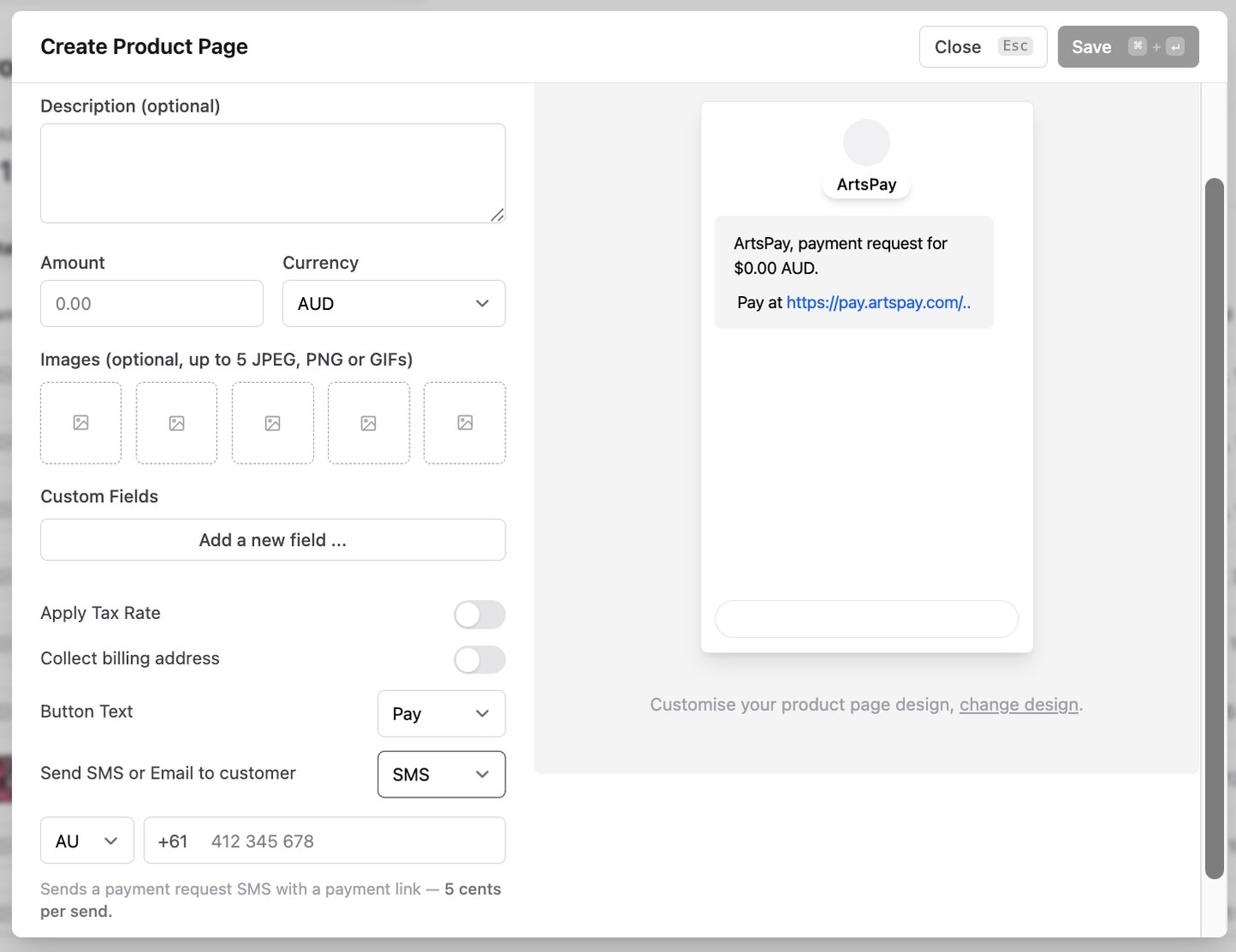
Fill in the Name, Description (optional), Amount, Tax %, Images (optional).
Check the boxes to collect email and address details.
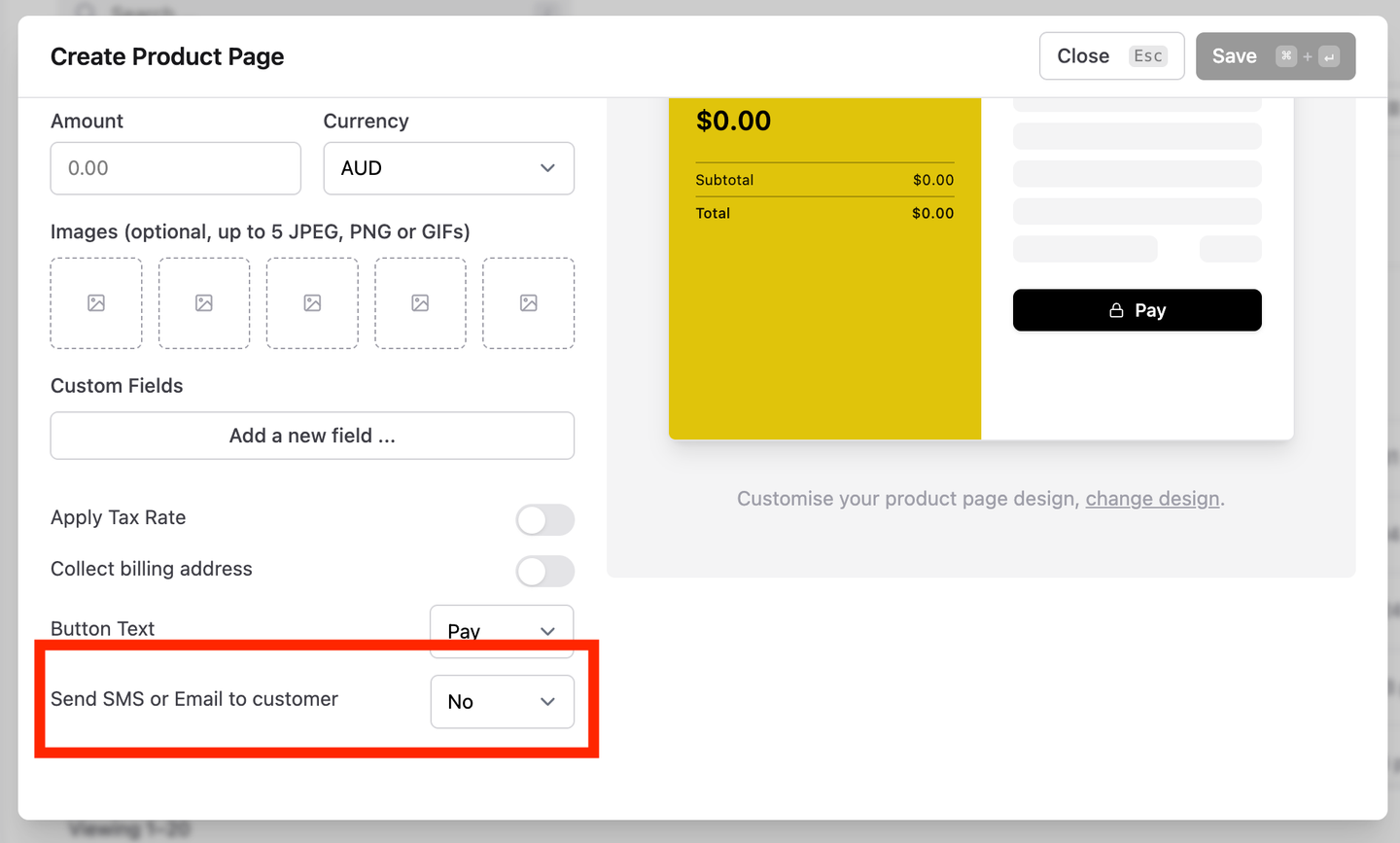
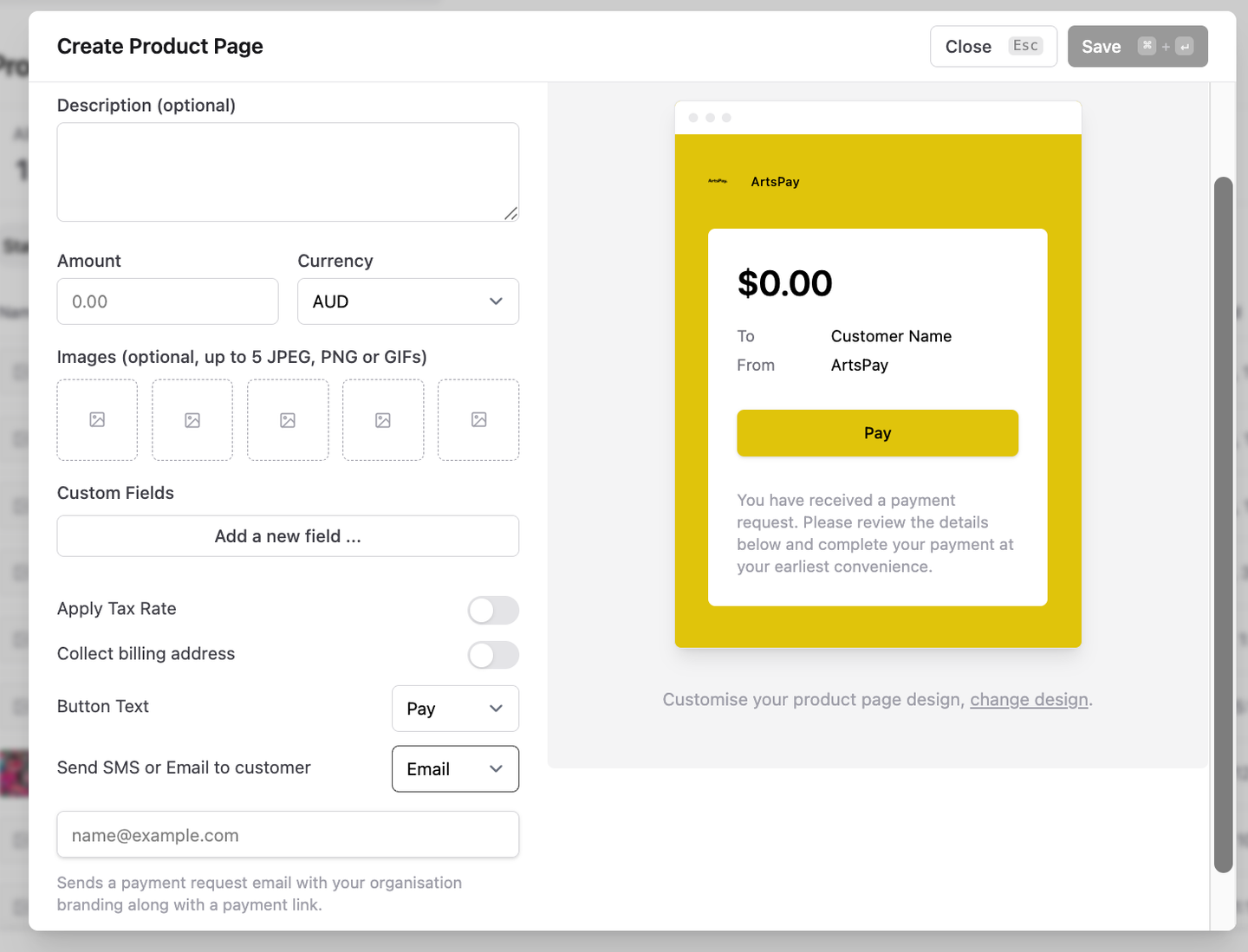
You can choose to send the Product Link via SMS or Email to your customer. When you ‘Save’, the product will be sent.
Create a Product LinkProduct Link Page
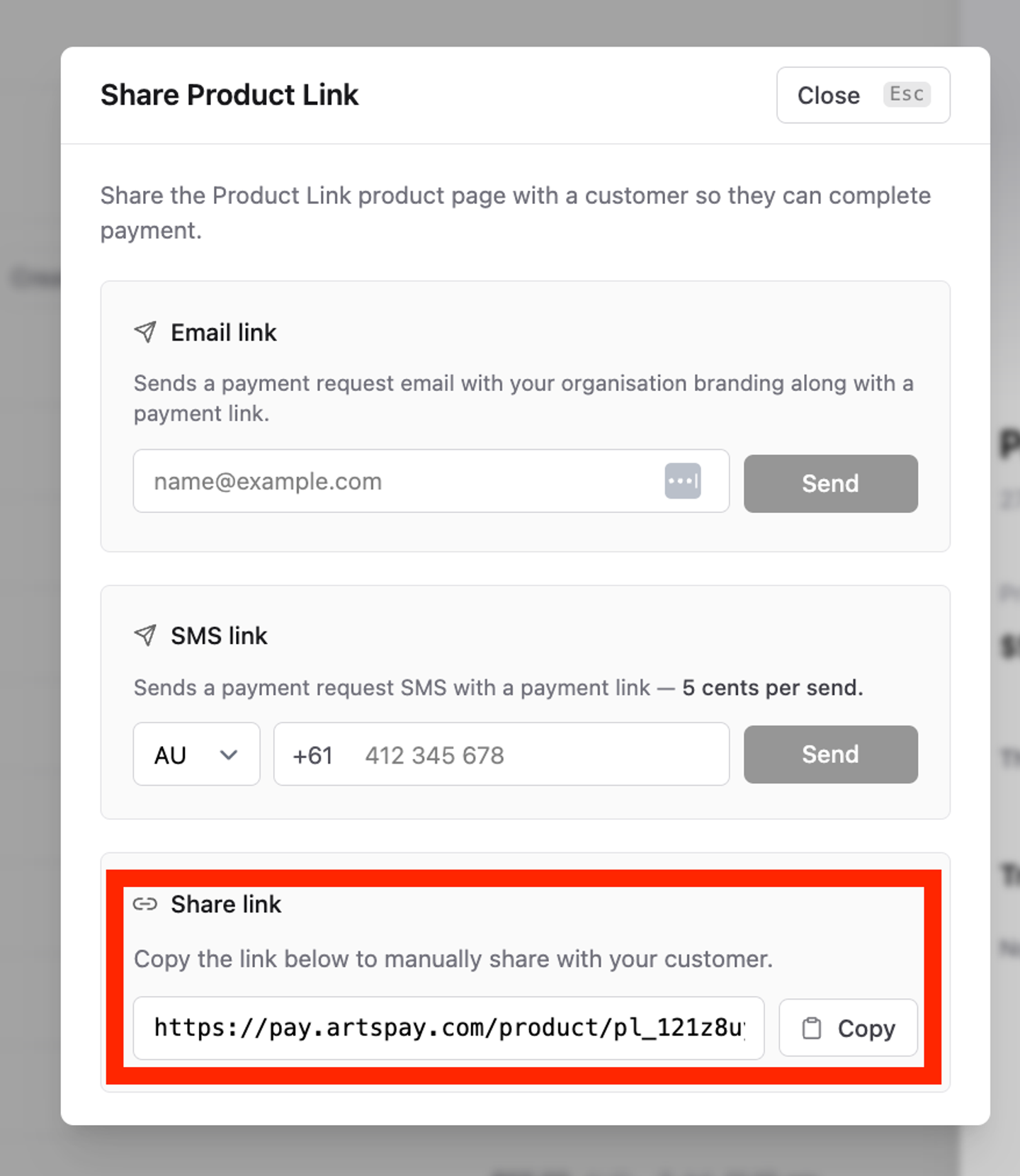
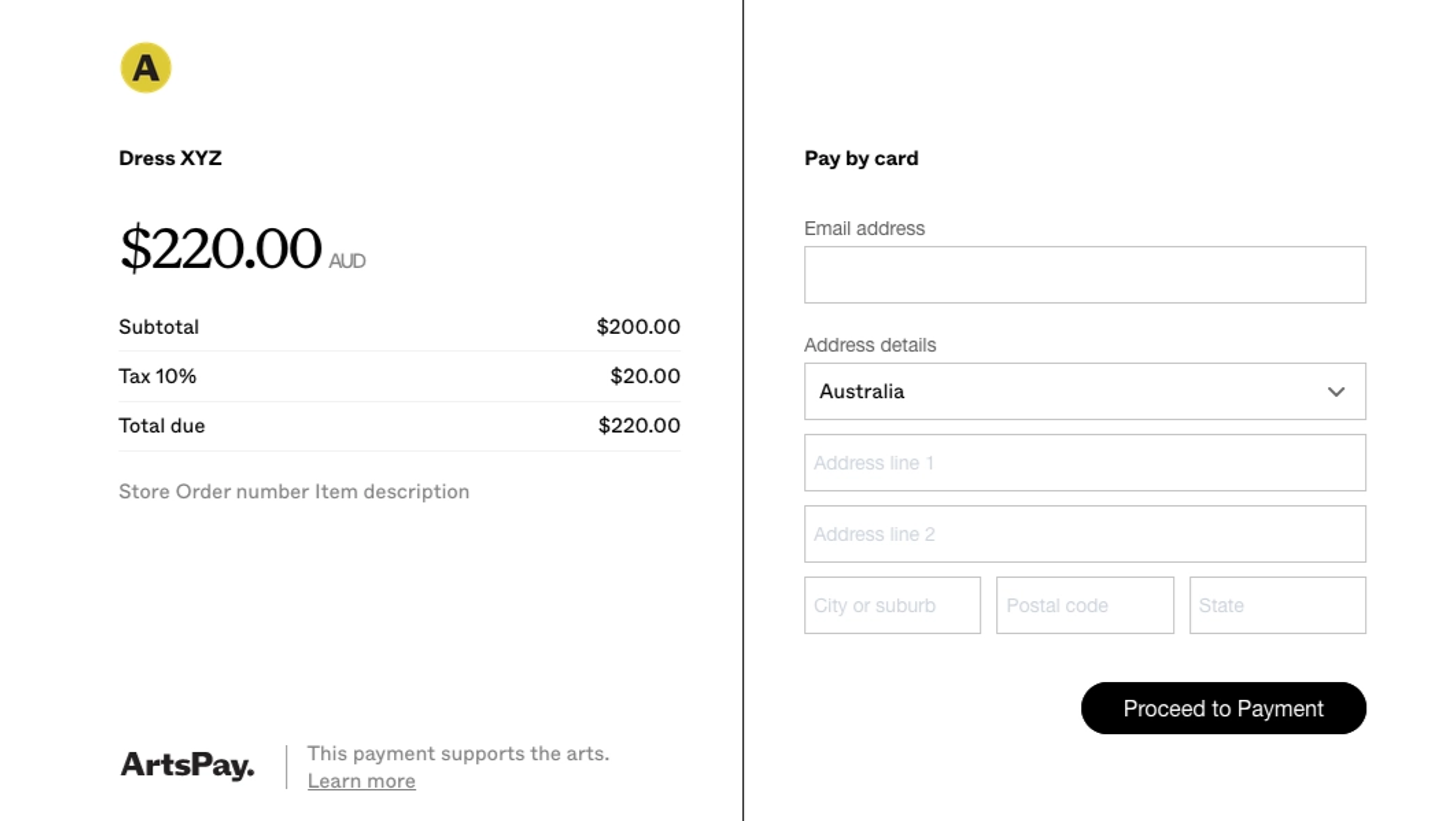
You can now copy the short URL to access the payment page for this product. Send the link to the customer via email or text message and they will go to a secure check out page, to make the payment.
The Short Link to send to your customersWhat the customers will see once they click on the links
To view your processed payments, you can view all them on the payment page. You can also look through your customer list and see payments associated with each customer. All data can be downloaded by clicking export in the top right corner.